Archiving and Unarchiving Content
You may wish to protect specific items of content from being deleted for example, high value content or content for which you have acquired Rights. When you Archive a piece of content, it cannot be deleted without it first being Unarchived.
How to Archive or Unarchive content
Step 1: Navigate to the Moderation View
From the left menu, browse to Curate > Moderate.
Step 2: Locate the item you wish to Archive
See Refining and Searching for Content in Moderation View for details on how to search for specific items of content.
Step 3: Archive or Unarchive the content
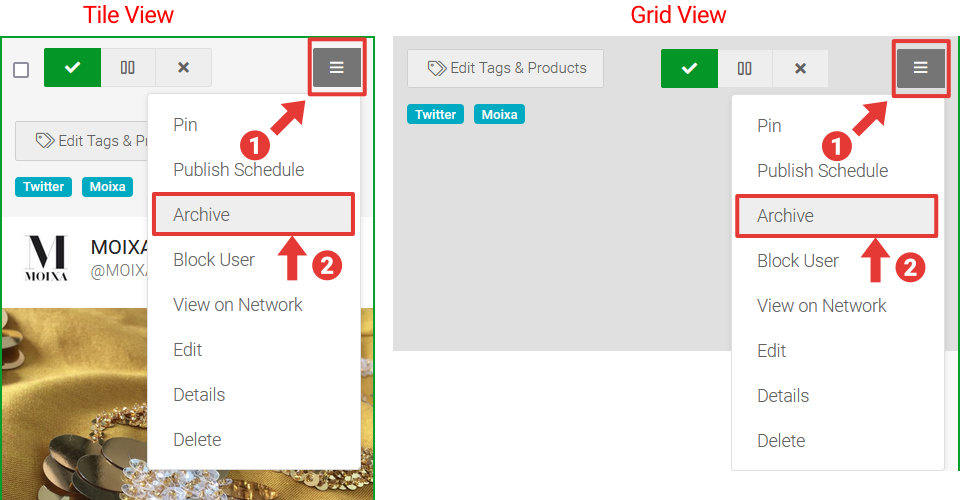
- Click on the Actions button of the item
- Select the _Archive _or Unarchive options.
| When an item of content is archived, the Archived flag appears below the Status buttons of the Tile for quick visual identification.
|| Note that the _Archive _option is accessible to all users with a Role of _Moderator _or higher, whereas the Unarchive option is only accessible to users with a Role of General Admin or higher.