Billing history and downloading Invoices
You can view your billing history and download invoices at any time by logging into your account.
How to view and download invoices
Step 1: Navigate to the Invoices page
From the left menu, browse to ** Settings > Invoices**.
Step 2: Find and download invoices
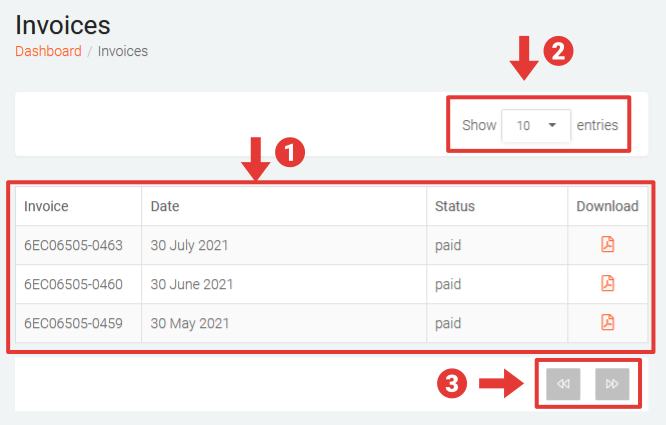
On the Invoices page:
- Locate the required invoice and click on the download icon to download a PDF copy of the invoice.
- You can change the number of entries shown per page by selecting a value from the drop-down at the top right.
- Use the _Next _and _Previous _buttons at the bottom to scroll through the entries.