Adding or Editing a Banned Word
The Global Banned Word List contains a pre-defined set of inappropriate or NSFW (not suitable for work) words that is used to filter inappropriate content during aggregation.
How to add or edit a Banned Word
Step 1:
From the left menu, browse to Settings > Banned Words.
Step 2: Choose to add a new word or edit an existing word
On the Banned Words page:
- To add a new word, click on the +Word button in the top right.
- To edit an existing word, click on its Edit button in the Actions column.
Step 3: Enter the word and match criteria
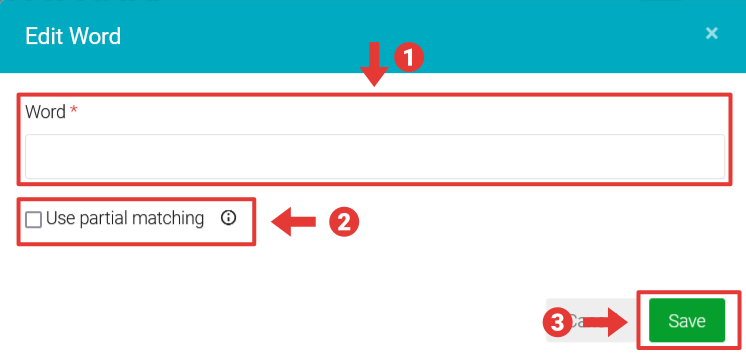
In the Add New Word or Edit Word modal, enter the following:
- Word – the word you wish to filter
- Use partial matching – select this checkbox to enable partial matching. By default, only exact matches of the word are filtered. If you enable partial matching, filtering for the word "bread" will also include "gingerbread" and "breadcrumb".
- Click Save.