Switching between multiple Buzzspark Accounts
With Buzzspark you can easily manage multiple Buzzspark accounts via a single login. These could be your own organisation or brand accounts, or your agency’s client accounts that have granted you specific role-based access.
Selecting which account manage when you log into Buzzspark
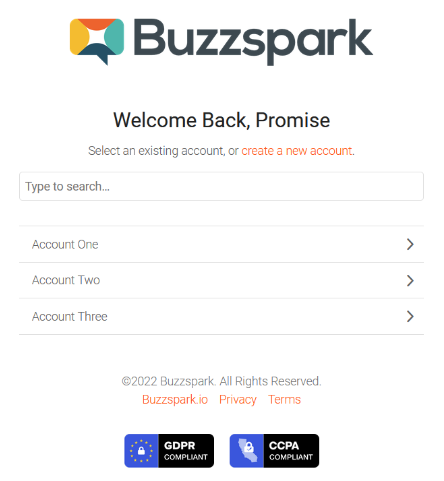
Upon logging into Buzzspark and provided you have access to more than one Buzzspark Account, you will be presented with a list of Accounts you can access (as shown below). Simply select the Account you wish to manage.
Switching between Buzzspark accounts
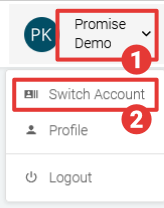
You can also access your list of accounts and switch between them at any time.
- Click on the drop-down user menu in the top right of the Buzzspark interface.
- Select Switch Account and then select the required Account on the next page.